MENU BAR APP · MACOS 14+ · UNIVERSAL
Compare your masters.
Level-matched.
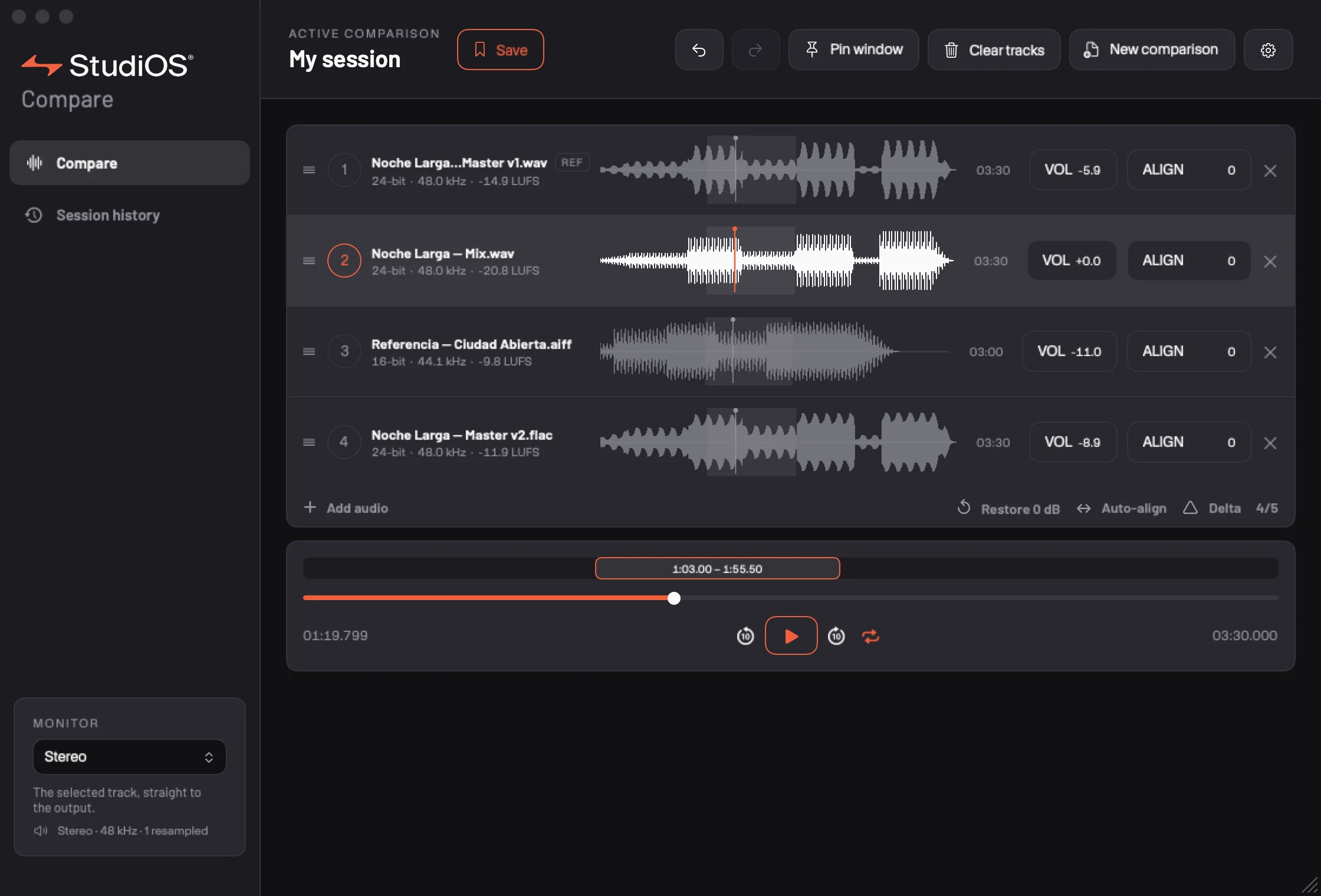
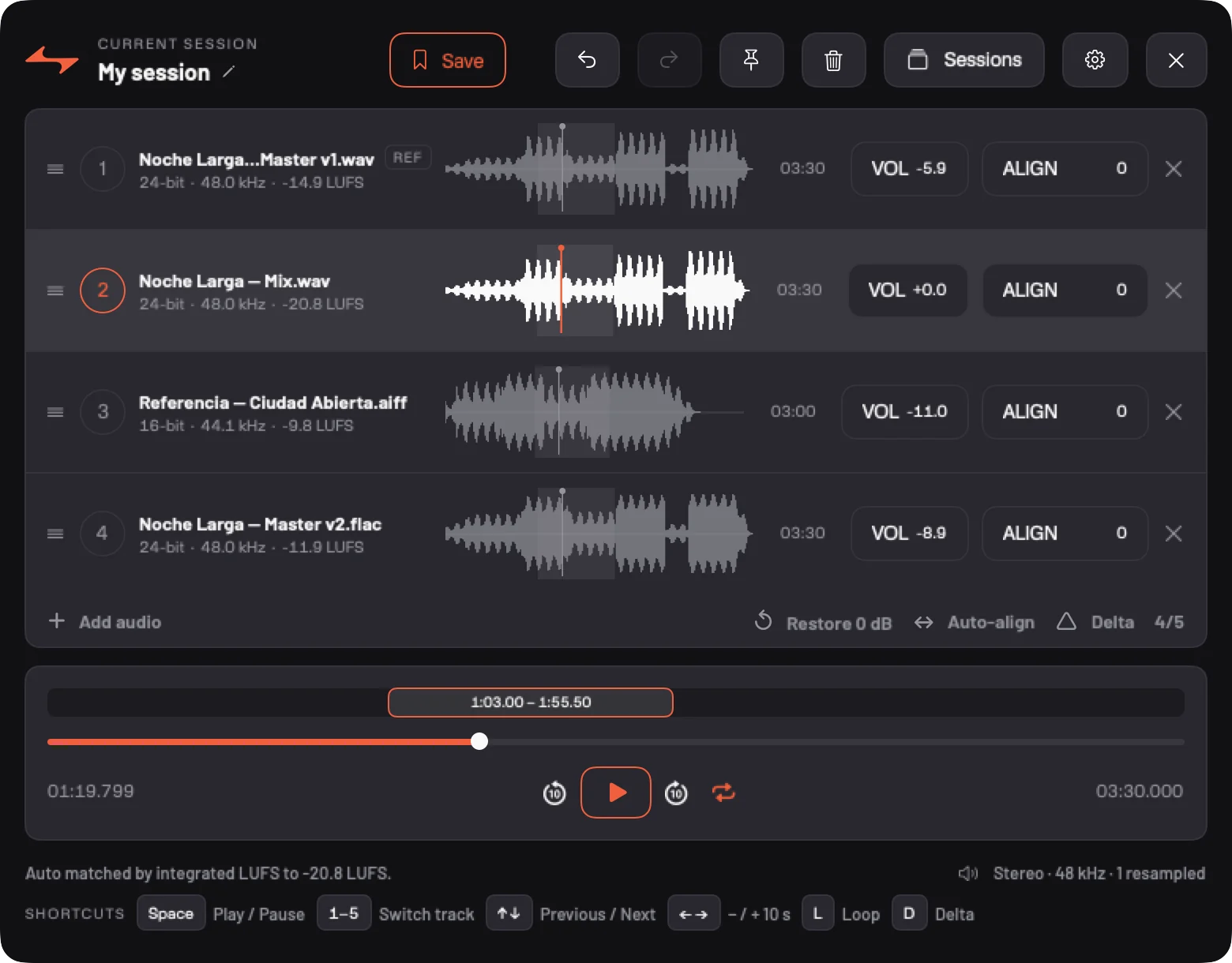
Compare puts up to five masters or references on one clock: switch with a key and the music carries on from the same spot, loudness-matched and sample-aligned.
HOW IT WORKS
Drop. Match. Listen.
Compare lives in the menu bar. It imports and copies nothing: it reads your files where they are and leaves them as they were.
01
Drop them on the menu bar
Drag files towards the top of the screen and the DROP HERE shelf appears. WAV, AIFF, FLAC or MP3, even when each has its own sample rate.
02
Match the loudness
Auto Match measures each version’s integrated loudness (LUFS) and levels them, so the loudest one doesn’t win just for being loud.
03
Switch with 1–5
Each key jumps to a version without stopping playback or losing your place. Space to stop, arrows to move through the song.
±1 smp
Aligned to the sample
Auto-align cross-correlates the first 30 seconds of each version against the reference and corrects the offset in whole samples. If a track’s polarity is flipped, it tells you.
D
Delta: hear only what changed
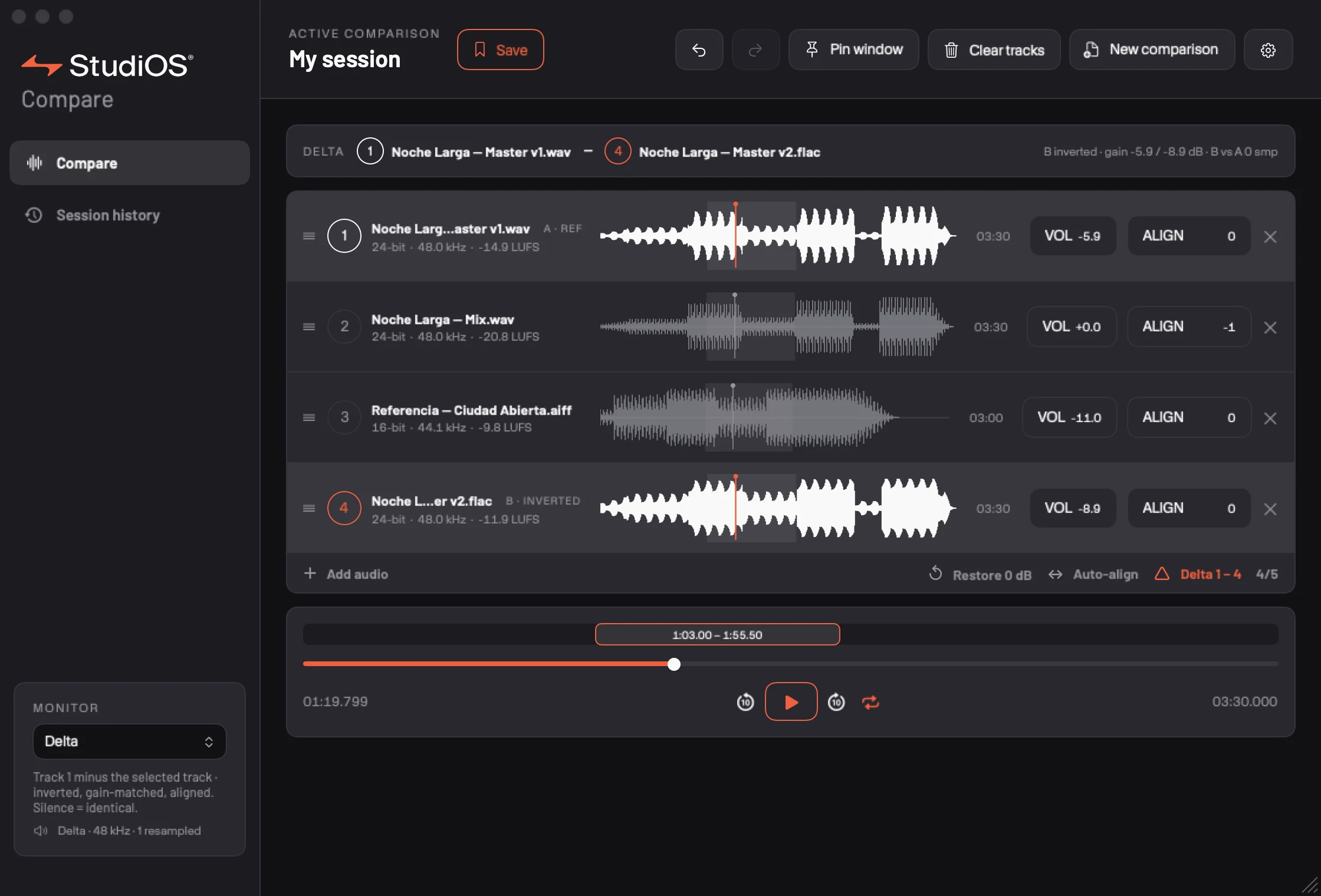
Press D and Compare subtracts the playing version from the reference, aligned and at the same gain. What’s left is exactly what changed between the two.
INSIDE THE APP
What’s playing, in plain sight.
These captures come from the running app — they are not mockups.
FEATURES
01Up to five versions at once→
02Instant, sample-synchronous switching→
03Auto Match by integrated loudness (LUFS)→
04Auto-align and sample-accurate offsets→
05Delta: the reference minus the version→
06WAV · AIFF · lossless FLAC · MP3→
07Sessions with history, undo and redo→
08Your originals are never copied or touched→
09Updates itself, from inside the app→
10Signed and notarized by Apple→
11WindowsCOMING SOON
DOWNLOAD
Compare with clean ears.
No account, nothing to set up: open it and drop your files.
macOS 14 or newer, Apple Silicon and Intel.
macOS 14+WindowsCOMING SOON
MACOS 14+ · UNIVERSAL · MENU BAR